
Manage Your SACME Account
Learn how to utilize your Member Compass to get the most of your SACME membership benefits. These features allow you to manage your membership information conveniently and efficiently. Keeping your profile up to date in the Member Compass ensures your membership is in good standing and that you have access to all member benefits.
MEMBER COMPASS:
Once logged into the website, you will be redirected to your Member Compass. Along with information about your current membership status, you’ll also see several tabs to the left including your profile and account history. You may also see dynamic information boxes that show the current number of upcoming events you’re registered for, or a box displaying how many outstanding invoices you have. Note: if you are not registered for any upcoming events or do not have outstanding invoices, that corresponding information will not display.
ACCESS LEVELS:
Any Logged in user can see their Dashboard, which includes their membership status, personal profile information, event registrations (current and past), plus any orders and transactional history.
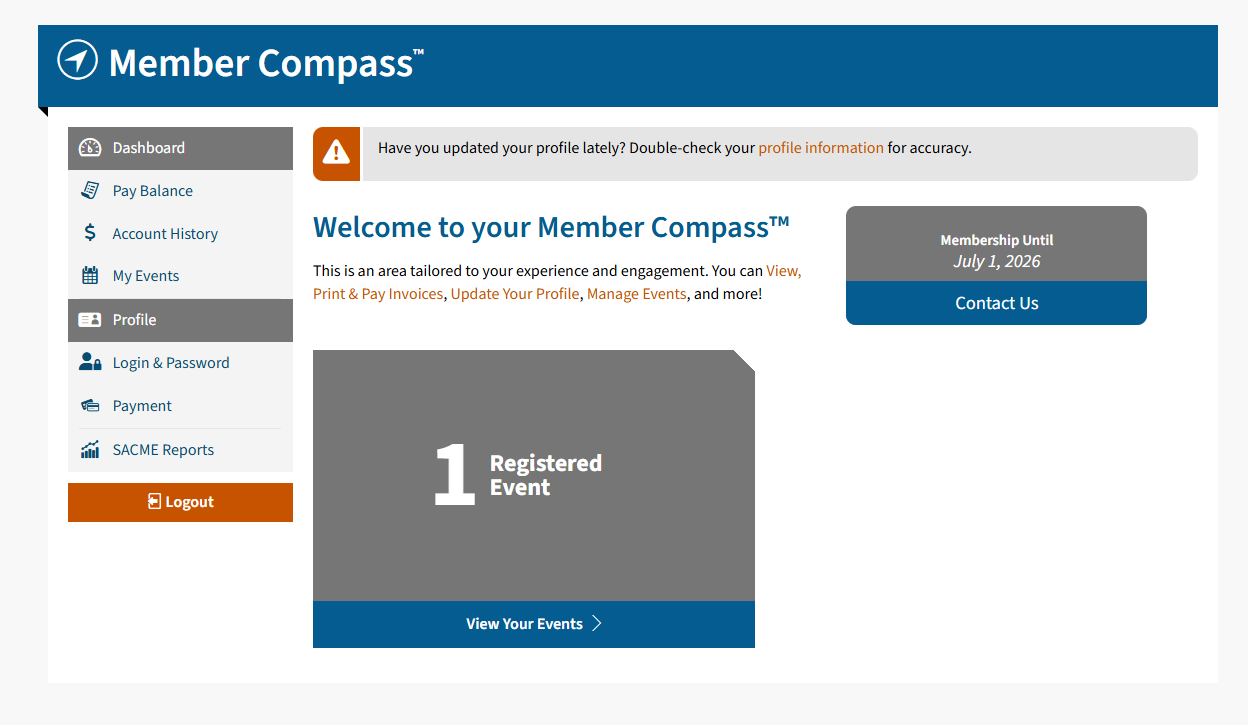
Dashboard (Seen Above): This serves as the home page for your Member Compass. You can click this at any time to get back to this main screen.
Pay Balance and Account History
To pay open invoices select the Pay Balance tab. Need to view past transactions, or print an invoice? Go to the Account History tab. From there you can get detailed information on your invoice history. Instead of having to call or email staff to make a payment or send an invoice, you can find those here.
My Events
At the top of this tab are any upcoming events you’re currently registered for. To the right of each event is a link that will allow you to add it to your calendar (iCal, Google, Outlook, and others.) Below that section lists past events.
Profile
Upload your headshots, links to social media profiles, and any other information you’d like to share with other SACME members here. When you update your profile information within the Member Compass, that will update what appears on your individual directory listing.
Login & Password: Need to update your password? Easily update your login credentials here.
Payment Methods: Add or edit your saved payment methods here (if applicable).
If you need to update institution information and do not have access, please contact SACME.